


Gemgala - Party & Chat & Games
4.1605.00 Reviews
App Specs
- Version
- 1.5.31
- Updated On
- License
- Free
- Downloads
- 10,000,000+
- Developer
- Gemgala Team
- Categories
- Social
- Platform
- Android
Screenshots
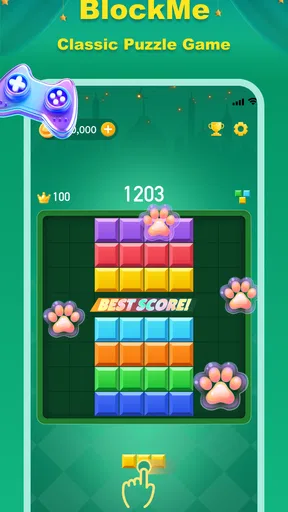
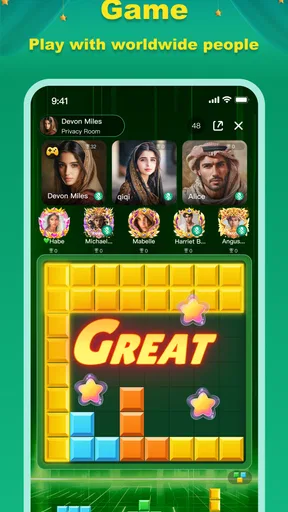
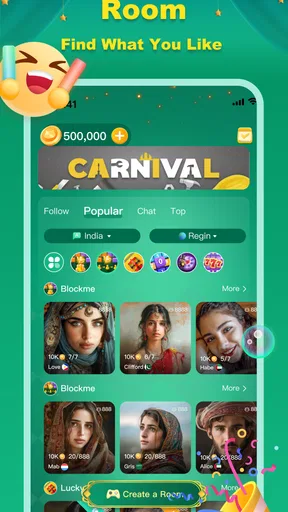


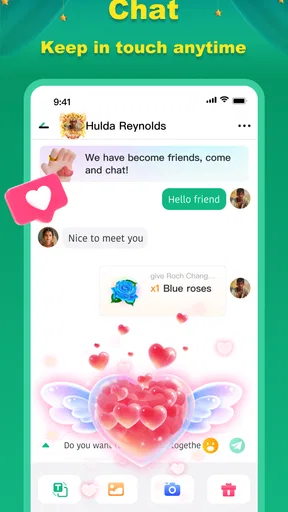
 Analysis by AppCompare
I approached Gemgala as a social app rather than as a conventional standalone game. Its central idea is simple: meet people from different places, chat, and use games as a reason to interact. That combination can be more appealing than an empty messaging app because there is something to do when conversation slows down. At the same time, it asks more from the user than a normal casual game. You are not only learning menus or controls; you are also deciding how much social interaction feels comfortable, which conversations deserve your attention, and when to step away.
The app is developed by Gemgala Team and sits in the social category. It is free to install, with optional in-app purchases ranging from $0.99 to $99.99 per item. That pricing matters because the basic download does not automatically mean every part of the experience is cost-free. I would treat the free installation as a chance to understand the community and the available activities before spending anything. With an average rating of 4.1 from around 138 thousand ratings and more than 10 million installs, it clearly has a substantial audience, although a large audience does not guarantee that every conversation or game will suit every person.
Where people usually get stuck first
The first difficulty is often expectation. Someone looking for a focused game may find the social layer distracting, while someone wanting a quiet chat tool may not enjoy the presence of games and a broad public audience. Gemgala works best when I treat the games as conversation starters and the chat as the main reason to return. If I expect a deep single-player campaign, a highly competitive esports environment, or a private messenger built around existing contacts, I am likely to judge it against the wrong standard.
Another point of friction is the pace of meeting strangers. Social apps can feel lively one moment and uneven the next, depending on who is available and how welcoming conversations are. That is not necessarily a technical problem. A slow response, an awkward exchange, or a room that does not match my interests can simply mean that the current group is not a good fit. I found it more useful to move on calmly than to force one conversation to work.
The mature 17+ rating is an important decision point, not a minor label. I would not install this for a child, and I would not assume that a friendly profile or an entertaining game removes the need for caution. Adults should still avoid sharing passwords, payment details, home addresses, private documents, or anything that could be used to identify or pressure them. The social design makes personal boundaries part of the user experience.
There is also a difference between visible activity and meaningful activity. A busy environment can contain plenty of messages without providing the kind of interaction I want. I recommend spending a short period observing how people communicate before joining in heavily. Notice whether discussions stay respectful, whether the games actually help people connect, and whether the atmosphere feels relaxed or demanding. That small pause can prevent the common mistake of investing time or money before understanding the community.
Why the chat-and-game combination can work
In my experience, a game gives a conversation a natural subject. Instead of opening with a vague greeting, I can react to what is happening, discuss a result, or invite someone to try an activity. This is especially useful for people who find direct social networking uncomfortable. The shared activity reduces the pressure to be endlessly interesting because the interaction has a second focus.
Worth Reading Before You Choose

EA SPORTS FC Mobile 26 Is a Bigger Football Game, but It Takes Time

Flipboard Shows What News Apps Must Do Beyond the Feed

Switching to Android Auto Means Rethinking Your Driving Routine

Google Calendar Makes a Crowded Week Easier to Manage

Ludo King Makes the Most of the Minutes Between Plans

Baby Panda World Brings Quick Play to Modern Phones, but Its Game Library Feels Busy
The trade-off is that the games may not satisfy someone who wants depth, long-term progression, or precise competitive balance. A social app has to divide its attention between communication and play. That can be a strength for casual use, but it also means I would compare Gemgala with social discovery apps and lightweight multiplayer spaces, not with a dedicated game designed around mastery.
Setup checks that prevent avoidable frustration
Before blaming the app, I would start with the basics. The current version is 1.5.31 and requires Android 6.0 or later. On an older device, the operating-system requirement is the first thing to check. If installation is unavailable, an update fails, or the app closes immediately, compatibility and available device storage are more sensible starting points than repeatedly tapping the install button.
I also recommend installing from the official app marketplace and allowing the installation to finish completely before opening it. A partial download, an interrupted update, or a device that is nearly full can create confusing behavior. If the application opens but behaves strangely, closing other demanding apps and restarting the phone is a reasonable first step. These actions are ordinary, but they solve a surprising number of problems without changing account settings or making a purchase.
Connection quality deserves a separate check because chat and online games depend on a stable path to the service. If messages appear late, rooms fail to load, or an activity disconnects, I would test the same action on a reliable Wi-Fi connection and then on mobile data if available. The useful clue is consistency: if the problem follows one network, the network is a stronger suspect than the application itself.
Notifications can also create the impression that the app is inactive. I would check the phone’s notification settings, battery restrictions, and any system mode that pauses background activity. A delayed alert does not necessarily mean a message was lost. Sometimes the phone is conserving power or silencing social notifications. For people who only want to check Gemgala at chosen times, that behavior may even be preferable.
Because the app includes optional purchases, I would also review the device’s purchase confirmation settings before exploring paid items. The listed price range runs from $0.99 to $99.99 per item, so a quick tap can have very different consequences depending on the item and the account setup. My practical rule is to understand what an item does, whether it is one-time or repeatable, and which account will be charged before confirming anything.
A calmer first session
My preferred setup routine is deliberately slow. I install the app, check that it opens normally, look around without immediately buying anything, and learn how conversations and games are organized. I then decide what I actually want from it: casual interaction, a new group of people, or a quick activity when I have a few spare minutes. That goal helps me ignore features that are not relevant instead of trying to master the entire app at once.
I would keep the first conversations general. Talking about a game or a shared interest is enough to test the social atmosphere. If someone quickly asks for money, pushes me to move the conversation elsewhere, or demands personal information, I would end the interaction rather than negotiate. This is not a criticism unique to Gemgala; it is a sensible habit for any platform that connects strangers.
For users who are sensitive to noise, a useful approach is to treat the app as an occasional destination rather than a constant notification stream. Check it when you have time to participate, mute or limit interruptions when you need concentration, and avoid feeling obliged to answer every message. Social apps become tiring when they turn into a task list.
Recovering when a normal workflow breaks
When a message, room, or game does not behave as expected, I would first repeat the action once after checking the connection. If the problem remains, I would close and reopen the app, then restart the device if necessary. I would avoid repeatedly submitting the same action, especially around purchases or account changes, because a delayed response can make duplicate taps risky.
If the app works in one area but not another, that distinction is valuable. For example, if browsing is fine but a game cannot start, the issue may be tied to the activity or the connection needed at that moment. If the whole app is slow, the network, device load, or a temporary service issue becomes more likely. Keeping notes about what works and what fails makes any later support request clearer and prevents random troubleshooting.
Updates can help, but I would not assume every update solves every problem. The app has a current version listed as 1.5.31, and keeping it current is sensible for compatibility. Still, if a problem begins immediately after an update, I would record the exact behavior rather than guessing. Mentioning the device, operating-system version, network type, and the steps that trigger the issue is much more useful than saying only that “the app is broken.”
Account recovery deserves patience. I would avoid creating several new accounts simply because the first session is confusing, since that can make it harder to understand which account is active. I would also be cautious about clearing app data or reinstalling before I know how the account is connected and whether I can sign back in. Reinstallation is a reasonable last step for damaged local files, but it should not be the first response to an ordinary loading delay.
There is a social form of workflow recovery too. If a conversation becomes uncomfortable, I would stop replying, use the available safety controls, and move on rather than trying to win an argument. If a game session becomes stressful, leaving it is a valid choice. The app is entertainment and social contact; it should not require me to tolerate pressure in order to continue.
When the app is not the cause
Many apparent failures come from the surrounding phone environment. Aggressive battery saving can delay notifications, weak storage can interrupt updates, and an unstable router can make online interactions look unreliable. A crowded background workload can also make a social app feel sluggish even when the service itself is responding normally. I would check these conditions before making a final judgment.
Human behavior is another source of friction. A quiet chat does not prove that discovery is broken, and a poor match does not mean the entire community is unsuitable. Social platforms contain different personalities, time zones, and expectations. I would give the app a fair trial across more than one session, but I would not force myself to stay if the tone consistently feels uncomfortable.
Purchases can create a separate misunderstanding. Since the app is free to download but offers paid items, users should distinguish between access to the application and optional spending inside it. If a feature appears unavailable without payment, I would first decide whether it adds enough value for my own use. The presence of a purchase option is not a reason to buy, and the upper end of the listed range is high enough that impulse spending deserves particular care.
Privacy expectations should also be realistic. Gemgala is designed around meeting and chatting with people around the world, so it is not the best choice for someone who wants every interaction limited to close friends or family. A conventional private messenger is better for sensitive personal conversations. A dedicated game is better for someone who wants mechanics, campaign structure, or competitive depth without social discovery. Gemgala occupies the middle ground, and that middle ground is precisely why some users will enjoy it while others will find it unfocused.
I would skip it entirely for anyone under the stated age rating, anyone uncomfortable with conversations involving strangers, or anyone looking for a completely ad-free, purchase-free experience without first checking how the free version feels. I would also hesitate to recommend it to a user with very limited connectivity, because the social and game elements are less useful when the connection is unreliable.
My practical verdict after using it as a social app
Gemgala is most convincing when I use it in short, intentional sessions: open it when I want casual contact, join an activity that gives conversation a purpose, and leave when the interaction stops being enjoyable. It is less convincing as a replacement for a private messenger or a serious game. That distinction makes the recommendation clearer rather than weaker.
The strongest practical benefit is the way play can remove some awkwardness from meeting people. A shared activity gives users something immediate to discuss, which is more approachable than an empty profile-to-profile conversation. The main limitation is the same design choice: the experience depends heavily on the quality of the social environment and may feel scattered to anyone expecting a carefully focused game.
I appreciate that the app is free to start, but I would keep spending firmly optional. I would explore the free experience, set a personal budget before viewing paid items, and never treat virtual purchases as a requirement for social approval. That approach lets me judge the actual usefulness of the app instead of confusing spending with enjoyment.
For an adult who wants a lightweight way to chat, meet international users, and fill spare time with casual games, I think it is worth trying. The large install base suggests that finding an active audience is plausible, while the 4.1 average shows a generally positive but not flawless reception. I would describe it to a friend as a social meeting place with games attached, not a full game with chat added afterward.
My final recommendation is therefore conditional but positive. Check the Android requirement, start with a stable connection, take the first conversations slowly, and protect both your personal information and your spending. If you want relaxed social discovery and do not mind some unpredictability, Gemgala can become an enjoyable occasional companion. If you want private communication, deep gameplay, or complete control over who you meet, a more specialized alternative will serve you better.
Pros
- Large selection of casual games for quick
- low-commitment sessions.
- Party rooms make it easy to meet users with similar interests.
- Virtual gifts add extra interaction during live chats and games.
- Supports social discovery beyond one-to-one messaging.
- Frequent events can keep regular users engaged over time.
Cons
- Some features and gifts may require in-app purchases.
- Public rooms can include spam
- unwanted messages
- or immature behavior.
- The experience depends heavily on finding active users in your region.
- Privacy settings may need careful adjustment before chatting publicly.
- Heavy social features can feel overwhelming for users seeking simple games.
FAQs for Gemgala - Party & Chat & Games
What is Gemgala - Party & Chat & Games?
Gemgala is a social entertainment app that combines live party rooms, voice or video conversations, private messaging, and casual games in one platform. After creating a profile, users can browse rooms, meet other members, join conversations, and participate in interactive activities. The experience is designed mainly for social discovery and real-time communication rather than traditional single-player gaming.
Is Gemgala free to download and use?
Gemgala can generally be downloaded and used without an upfront purchase, allowing users to create an account, explore public areas, chat, and try selected features. However, some entertainment or social functions may involve virtual coins, gifts, premium items, or optional subscriptions. Before spending money, check the current in-app prices, payment terms, and refund policies shown in your app store.
Is Gemgala safe for teenagers and children?
Parents should review Gemgala’s current age rating and privacy policy before allowing a child to use it. Because the app includes interaction with other users, live rooms, messaging, and potentially user-generated content, conversations may not always be suitable for minors. Use privacy settings, avoid sharing personal information, block or report suspicious accounts, and supervise younger users whenever possible.
What permissions and account information does Gemgala require?
Depending on the features you choose, Gemgala may request access to information such as your profile details, contacts, microphone, camera, notifications, or device-related data. Some permissions are needed for voice rooms, video communication, and alerts, while others may be optional. It is worth reviewing each request carefully and disabling permissions that are not necessary for the way you use the app.
What should I do if I encounter harassment, scams, or inappropriate content?
If another user behaves abusively, requests money or private information, or shares inappropriate material, stop communicating and use Gemgala’s available block and report tools. Do not send passwords, verification codes, payment details, or identifying information. Save evidence such as screenshots when appropriate, report serious threats to the platform, and contact local authorities if you believe there is an immediate safety risk.


